AVIGILON VIDEO CAMERAS
Avigilon PTZ Cameras
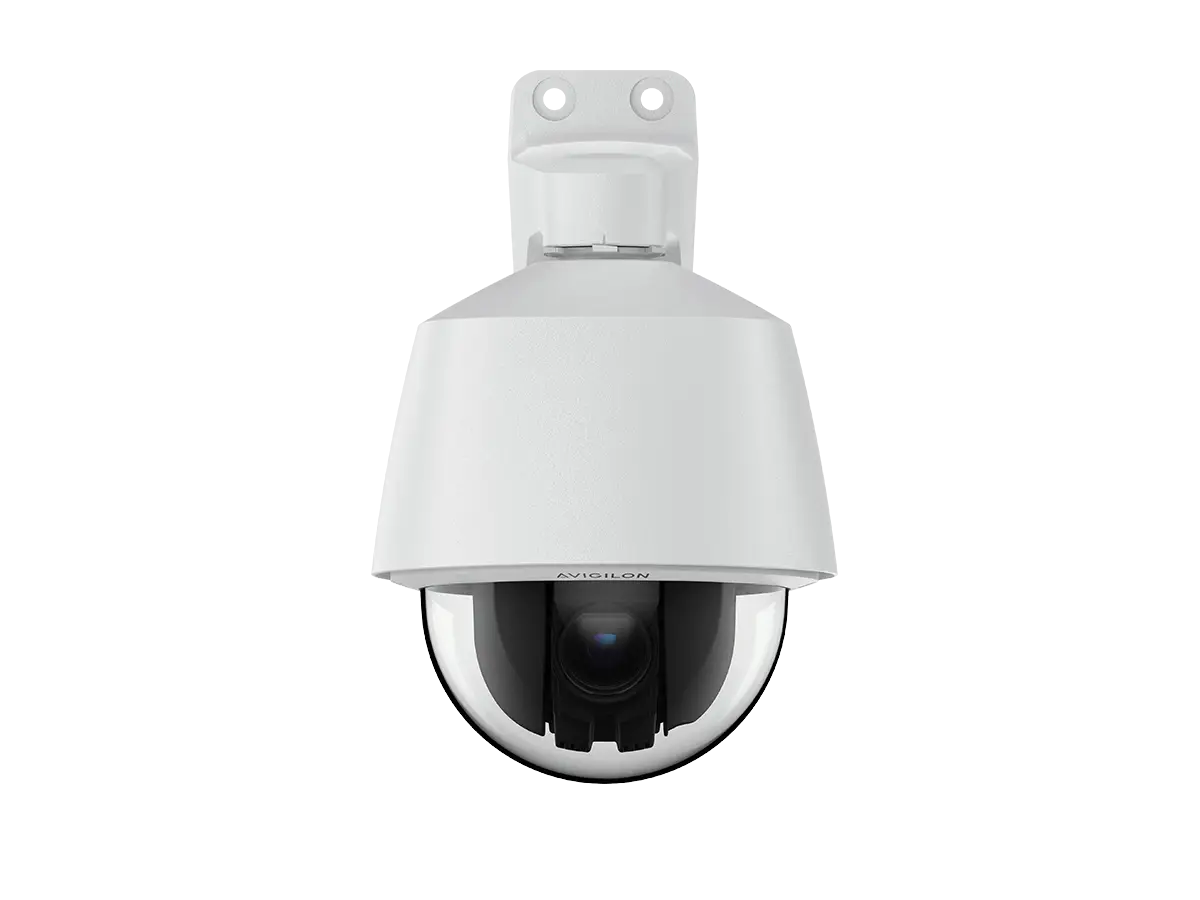
Avigilon pan-tilt-zoom cameras let an operator change the direction and level of detail of a video view. ACG Security Solutions helps you decide where that movable view adds value—and where a fixed camera is still needed to keep an important area continuously in view.
For a large parking area, campus or commercial property, the key question is not simply how far a camera can zoom. It is who will control it, what it must observe and what the rest of the system will record while that view changes.
Where a movable camera view helps
PTZ cameras can support an operator who needs to examine different parts of a large scene. A useful design connects that flexibility to a defined task rather than relying on the camera to watch every direction at once.
Examples to evaluate include commercial parking areas, campus exteriors, large loading approaches and open spaces between buildings. In each case, ACG considers the useful observation positions, obstructions, lighting and staff workflow.
A movable view can complement fixed cameras at critical entrances. It should not silently remove the fixed record that an organization needs when an operator turns toward another event.
Avigilon H6A PTZ
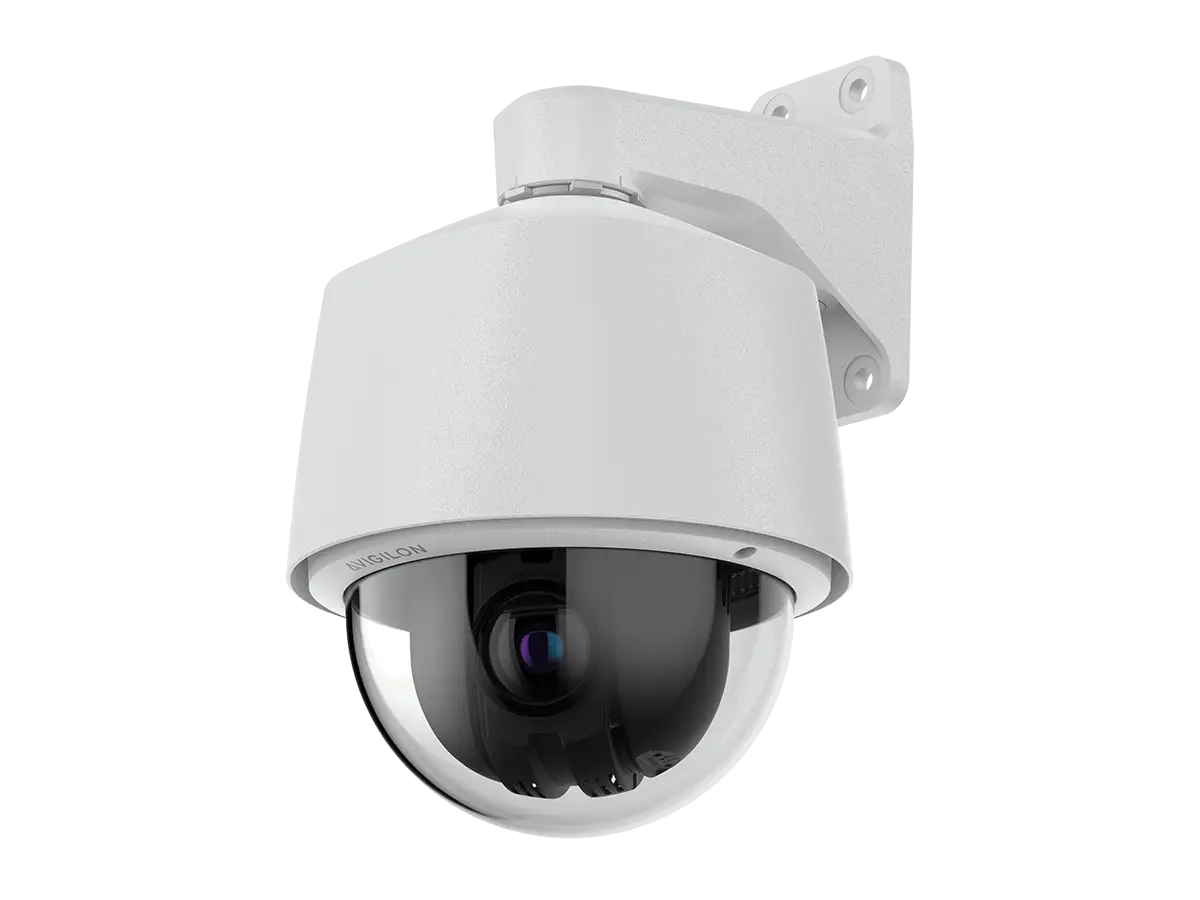
Avigilon currently lists H6A PTZ options for Unity and Alta environments. Its published specifications include pan-tilt-zoom viewing, up to 30× zoom, 2 MP and 4 MP options, and video analytics. The exact deployment variant must be checked before selecting features or accessories.
A higher zoom value is not a site-design guarantee. Mounting position, subject distance, motion, illumination and the required detail still determine whether a view is useful.
H6A PTZ planning questions
- Which Unity or Alta variant fits the intended management system?
- What areas will operators inspect from the camera position?
- What detail is needed at the farthest useful view?
- Which mounting option fits the building or exterior location?
- Which supported analytics or control features should be tested?
Operator control and configured movement
A PTZ camera needs an operating plan. Determine who can move it, whether multiple users will share control, and which view should be restored after an operator finishes investigating an event.
Avigilon documents automatic tracking for a supported Unity H6A PTZ workflow, with a home-position condition. ACG does not treat that as a promise that every PTZ variant will autonomously follow every event. Supported behavior must be demonstrated in the chosen platform and scene.
Define the control workflow
- Identify the primary observation position.
- Record useful secondary views for the property.
- Decide which authorized users can change the camera view.
- Specify how control conflicts will be handled operationally.
- Test the return-to-normal workflow alongside recorded-video review.
Five questions before choosing PTZ
Who is using the camera?
An actively staffed viewing station and an occasionally reviewed recording system have different needs. A movable view should serve the actual operator model.
What must remain continuously visible?
List entrances and processes that require an uninterrupted view. Keep those requirements separate from the areas a PTZ operator may explore.
Where will the camera be mounted?
A position that offers a broad overview may still have obstructions or poor viewing angles at specific locations.
What happens after dark?
Review lighting and the exact camera variant. Do not assume the capabilities of a separately named infrared PTZ apply to every PTZ camera.
How will the result be tested?
Use representative views and normal site activity. Confirm control, useful detail, recording and retrieval rather than accepting a specification list alone.
Choose the platform before final configuration
Review H6A PTZ support for the exact Unity or Alta environment being specified. Product appearance does not establish interchangeable licensing, analytics or commissioning behavior.
Avigilon Video Management explains the management decision. ACG confirms the camera and software combination before relying on a named feature in the design.
Existing video permissions also need consideration. The people permitted to watch a recording may not all need permission to move a camera or change its operating settings.
PTZ and fixed coverage have different jobs
| Planning factor | Fixed camera approach | PTZ approach |
|---|---|---|
| View direction | Holds the configured scene | Can change direction |
| Detail selection | Planned through placement and lens choice | Can change through supported zoom control |
| Continuous coverage | Keeps the chosen area in view | Depends on where the camera is directed |
| Operating workflow | Primarily viewing and review | May also require active camera control |
| Strong combined use | Record a critical entrance | Inspect surrounding activity without sacrificing the fixed record |
Review fixed dome cameras and bullet cameras when designing the fixed views that support a PTZ deployment.
Make analytics part of acceptance testing
A moving field of view changes the scene. Confirm how the chosen analytics behave at the operating positions and which functions require a particular view or configuration.
The useful outcome is a clear process: an event draws attention, an authorized user reviews the context, and the relevant footage remains available for later review. Analytics should support that process rather than substitute for it.
ACG can coordinate PTZ requirements with the broader commercial video analytics plan, including which events merit attention and who receives it.
Installation, power and network planning
Confirm the appropriate mount, access for service, power requirements and network path for the selected device. A PTZ is not interchangeable with every fixed camera at the same cable location.
For multi-building sites, evaluate the route from the camera to the recording and viewing system. Site drawings and an inventory of existing equipment help determine what can be reused and what needs additional infrastructure.
Document final camera positions and operator instructions. That record makes it easier to preserve the intended coverage when staff or site conditions change.
Check the current H6A PTZ documentation
Use the official H6A PTZ product page and its Unity or Alta documentation for the selected variant. Keep model-specific ratings, accessory requirements and capabilities tied to that source.
A different PTZ family may suit a particular requirement, but it should receive its own documented selection rather than borrowing specifications from another model.
Plan PTZ around the way your team observes the site
Share the property layout, critical fixed views, staffing model and the areas that need closer observation. ACG can help determine where Avigilon PTZ adds value and how it should work with the rest of your video system.
MOTOROLA, MOTO, MOTOROLA SOLUTIONS and the Stylized M Logo are trademarks or registered trademarks of Motorola Trademark Holdings, LLC and are used under license. All other trademarks are the property of their respective owners.