AVIGILON VIDEO MANAGEMENT
Avigilon Video Management
Avigilon video management brings cameras, recorded video, search, alerts and day-to-day security workflows into a platform that authorized users can manage around the needs of the facility. ACG Security Solutions helps organizations evaluate Avigilon Unity Video for on-premise environments and Avigilon Alta Video for cloud-based video management, then integrate the selected platform with the cameras, network, storage and operating procedures around it.
The right choice is not simply “cloud versus server.” It depends on the organization’s existing infrastructure, number and type of sites, camera environment, remote-access requirements, video-retention plan, cybersecurity policies and how operators expect to review events.
Avigilon Unity Video
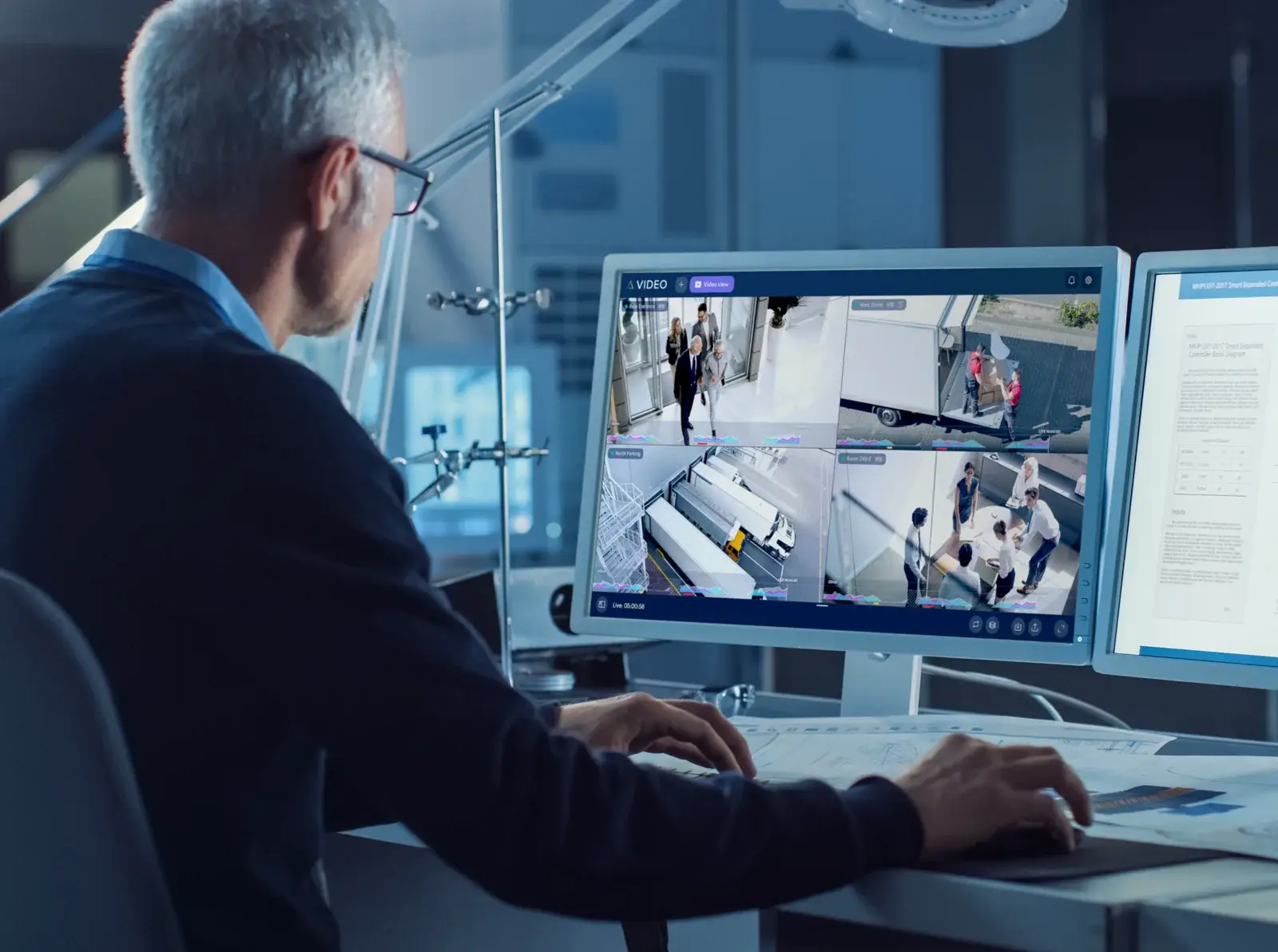
Avigilon Alta Video
Video management systems
What is Avigilon video management?
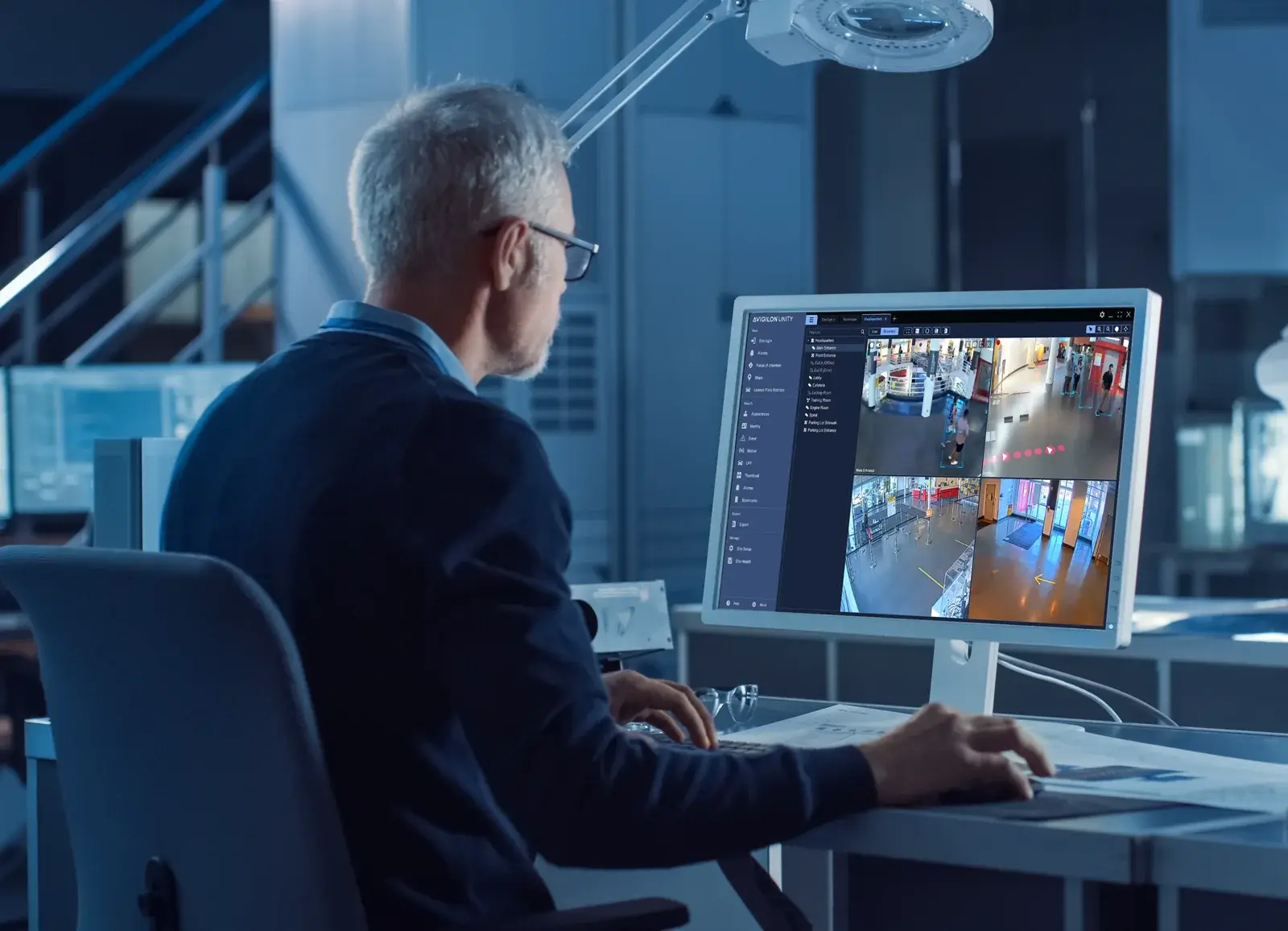
A video management system, or VMS, is the software environment used to view live cameras, review recorded footage, manage users, respond to alerts and organize investigations. Cameras create the video, but the VMS determines how authorized users interact with that video after it reaches the system.
ACG treats video management as part of the complete commercial video surveillance system, not as a standalone software purchase. Camera compatibility, network design, recording architecture, user permissions, search requirements and integration with other security systems can all affect the final design.
Avigilon currently provides two primary approaches for this role: Unity Video for on-premise video management and Alta Video for cloud-based video management. Both can support intelligent search and security workflows, but they are designed around different deployment architectures.
On-premise video management
Avigilon Unity Video: on-premise video management
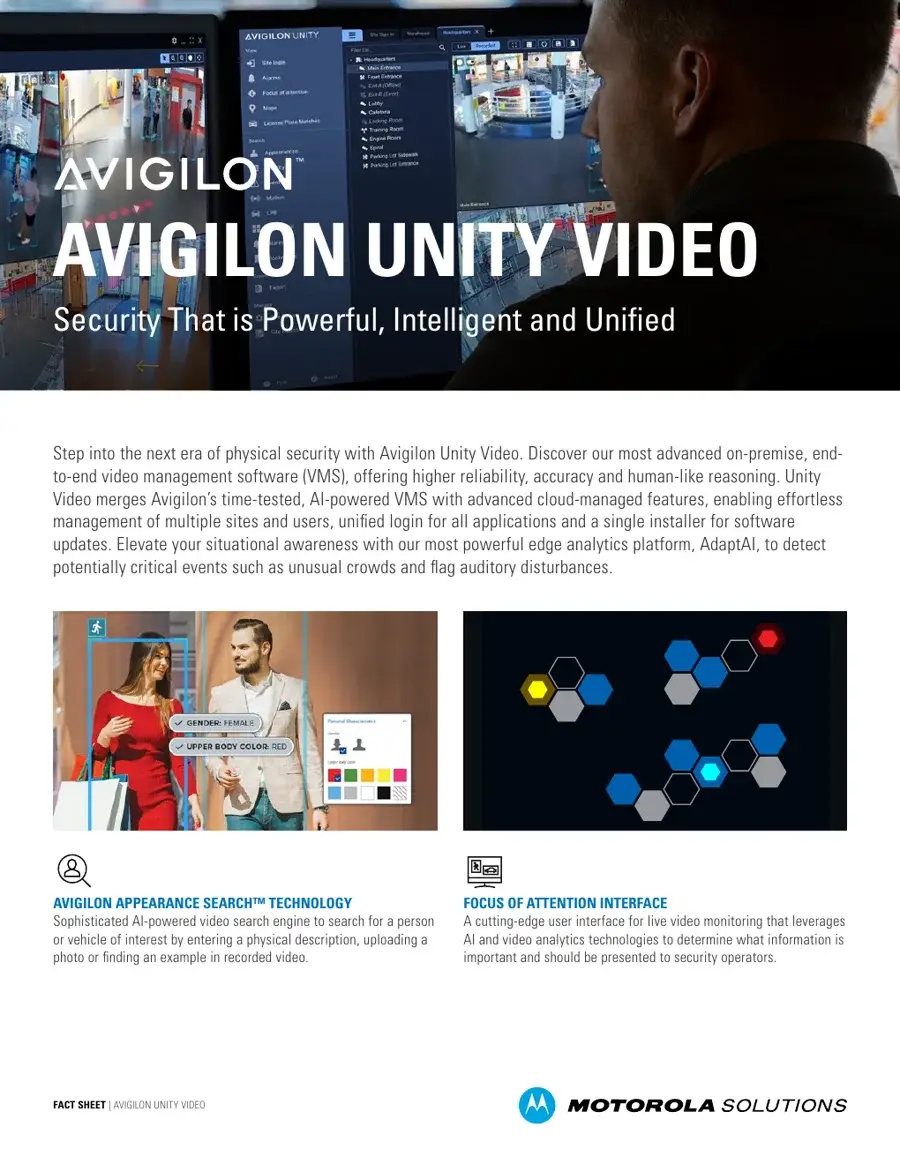
Avigilon Unity Video is designed for organizations that want video management centered on locally hosted infrastructure. It can combine live and recorded video with compatible Avigilon analytics and supports search tools such as Avigilon Appearance Search on supported deployments.
Unity Video can be appropriate where an organization prefers to maintain recording and management infrastructure at the facility or within its own controlled environment. The exact server, recording, storage, licensing and redundancy design should be based on the site rather than assumed from a generic package.
Where Unity Video may fit
- Facilities that prefer on-premise video-management infrastructure
- Existing Avigilon Unity environments being expanded or modernized
- Sites that need locally hosted recording and operator workflows
- Organizations coordinating compatible Unity Video and Unity Access systems
- Security operations that depend on current Avigilon search, alerting and investigation capabilities
Marketing Intro Video: Unity Video 8
Cloud-based video management
Avigilon Alta Video: cloud-based video management
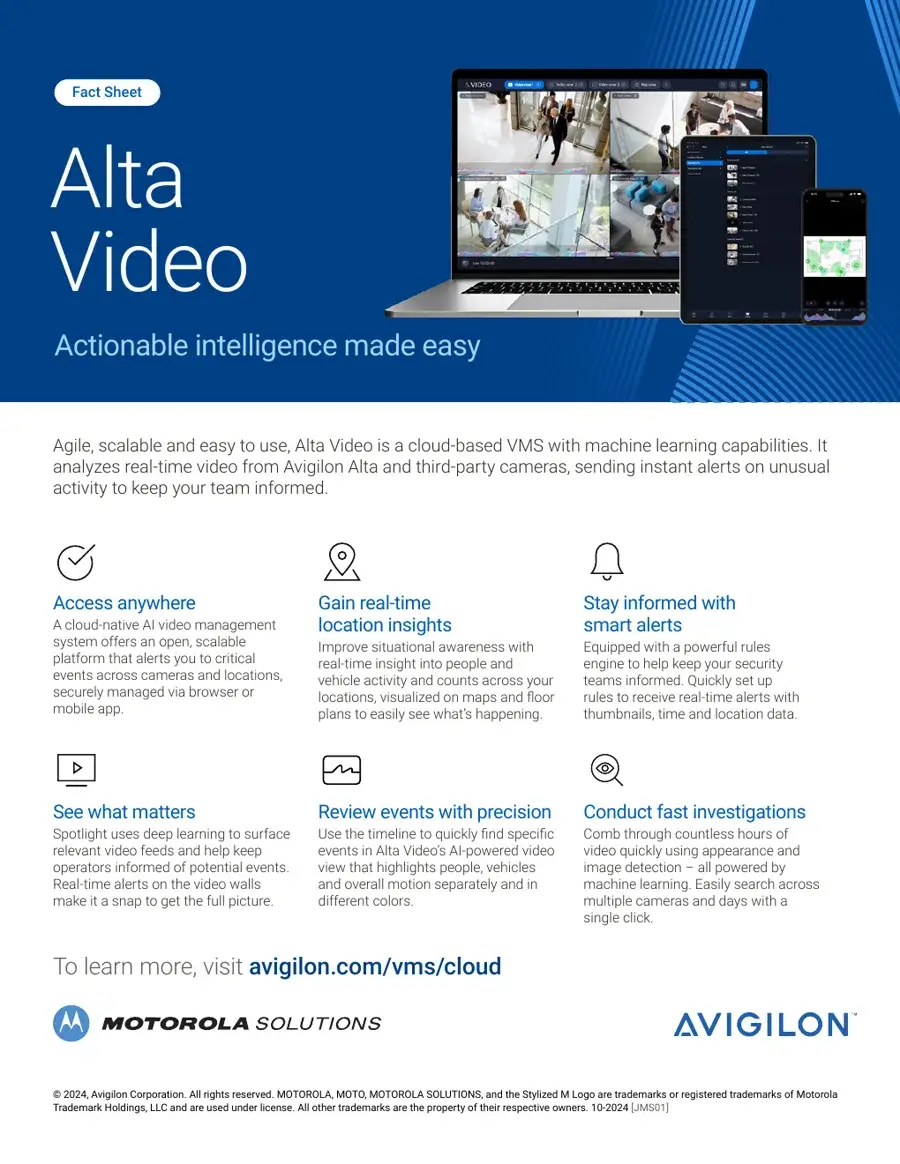
Avigilon Alta Video is Avigilon’s cloud-based VMS. Current Avigilon materials describe browser and mobile access, centralized video management, maps and floor plans, alerting, AI-assisted search and compatibility with Avigilon Alta cameras. Existing supported camera environments may also connect through Avigilon Alta Cloud Connector products.
Alta Video may fit organizations that want cloud-based administration across one or more locations without structuring the system around a traditional on-site VMS server. Storage choices, connector requirements, supported cameras, bandwidth and licensing still need to be evaluated for the actual deployment.
Where Alta Video may fit
- Organizations that want browser- and mobile-accessible video management
- Multi-location environments that benefit from centralized administration
- Sites adopting Avigilon Alta cameras
- Existing compatible camera deployments being evaluated for cloud transition
- Organizations that want cloud-based alerting, search and investigation workflows
Planning comparison
Unity Video vs. Alta Video
| Planning factor | Avigilon Unity Video | Avigilon Alta Video |
|---|---|---|
| Primary architecture | On-premise video management | Cloud-based video management |
| Management | Locally hosted Unity environment with supported remote-management options | Browser/mobile cloud management |
| Camera environment | Avigilon Unity-supported cameras and compatible integrations | Avigilon Alta cameras and supported existing-camera connections |
| Recording/storage | Designed around deployed Unity recording and storage architecture | Cloud, on-camera and supported storage options depending on configuration |
| Access integration | Interoperability with supported Unity Access systems | Native Alta ecosystem integration with supported Alta Access workflows |
| Best fit | Organizations that prefer on-premise control and local infrastructure | Organizations that prefer cloud administration and multi-site flexibility |
The table is a planning comparison, not a substitute for confirming current licensing, supported devices or storage requirements for a specific project.
Investigation workflows
Search, review and investigation workflows
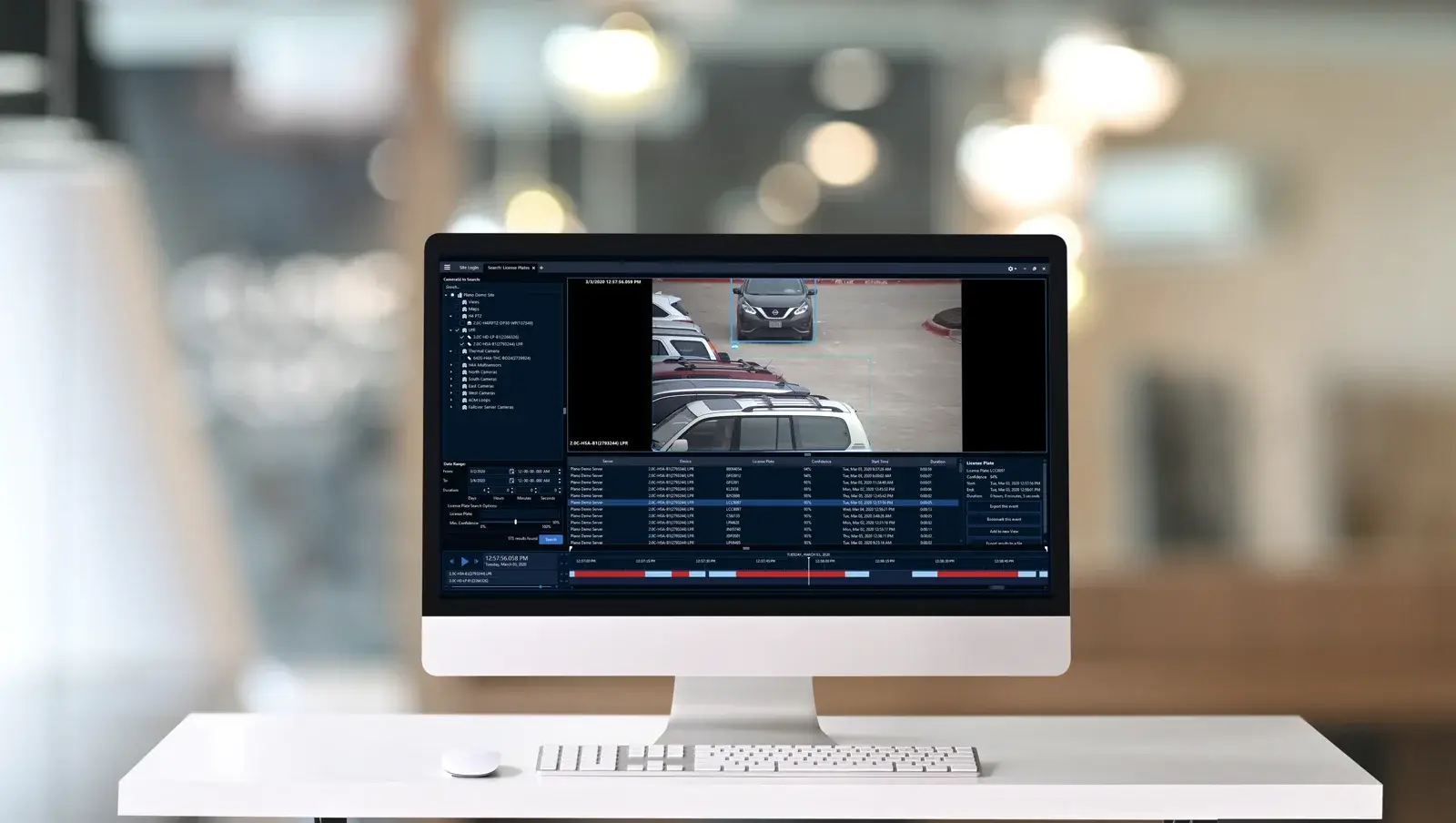
The value of a VMS becomes most visible when an operator needs to understand what happened. Avigilon Unity Video supports recorded-video search functions that can include Appearance Search on supported editions and configurations. Avigilon Alta Video provides cloud-based search and investigation tools designed to help users move through recorded events, people, vehicles and alerts.
For ACG, the important design question is the workflow: what should trigger attention, who reviews it, which cameras provide useful context and what information must be preserved for later review?
That question also determines how commercial video analytics should be used. Analytics can help focus attention, but the VMS still needs an appropriate camera view, retention plan and operating process around the event.
Explainer — Avigilon Alta Search
System compatibility
Camera and infrastructure compatibility
The VMS does not correct poor camera placement or inadequate network infrastructure. Before selecting Unity or Alta, ACG reviews the camera environment and the systems that need to connect to it.
Planning may include:
- Current Avigilon camera families and software compatibility
- Existing third-party cameras that may need supported integration or a connector
- Camera resolution, frame-rate and bandwidth requirements
- Network paths and available connectivity
- Recording and retention requirements
- User roles and remote-access requirements
- Expansion plans across additional sites
For camera selection, see Avigilon video cameras.
Recording architecture
Storage and retention are part of the design
Video retention should be planned around the organization’s operational needs, camera environment and applicable internal policies. Unity Video deployments depend on the recording and storage architecture selected for the site. Alta Video supports cloud-oriented storage options, and Avigilon also documents supported approaches for cloud, on-camera and connected storage depending on the system.
ACG does not assume one retention period or storage configuration for every organization. The number of cameras, recording behavior, image quality, event frequency, bandwidth and policy requirements all affect the design.
Integrated workflows
Video and access control together
Video management becomes more useful when it is coordinated with the other systems protecting the facility. Supported Avigilon environments can associate video with access-control events so authorized users can review what happened around a door or credential event.
Organizations evaluating this workflow should also review Avigilon Access Control and the broader commercial access control systems ACG integrates.
The objective is not to connect systems simply because integration is available. It is to decide which events should be correlated and how the organization expects staff to use that information.
ACG deployment process
How ACG plans an Avigilon video management deployment
1. Define the operating requirement
Identify how video will be viewed, searched, shared and managed across the organization.
2. Inventory the camera environment
Document existing cameras, current software, locations, network paths and known limitations.
3. Choose the management architecture
Evaluate whether Unity Video, Alta Video or a phased transition better matches the organization’s infrastructure and operating model.
4. Plan recording, storage and access
Define retention requirements, user permissions, remote access and the infrastructure needed to support them.
5. Integrate and validate
Configure the approved system, connect supported devices and confirm that live viewing, recorded review, alerts and user workflows perform as intended.
Official resources
Official Avigilon resources
Use current official product documentation when evaluating platform versions, licensing, device support and deployment requirements.
- Avigilon Unity Video — official Avigilon product information
- Avigilon Alta Video — official Avigilon product information
- Avigilon product documentation — current official documentation
- ACG Avigilon Resources — insert only after the target is direct HTTP 200
Plan the video-management layer around the way your team works
A video system is easier to operate when cameras, recording, search, alerts and user permissions are designed together. ACG Security Solutions can review your facility, existing infrastructure and security objectives, then help determine which Avigilon video-management approach fits the project.
MOTOROLA, MOTO, MOTOROLA SOLUTIONS and the Stylized M Logo are trademarks or registered trademarks of Motorola Trademark Holdings, LLC and are used under license. All other trademarks are the property of their respective owners.